


How to design and code with Google Antigravity
TLDR Summary: Google Antigravity is an AI-powered IDE from Google focused around autonomous agents (mainly powered by Gemini 3 Pro) that write, test and validate code in an integrated browser, terminal, and editor. Created mostly for developers and tech-savvy enthusiasts. To get started: download from official site, get a Chrome extension to enable agents to interact with web apps, start prompting and generating UIs, test and iteration straight from code without using manual build or test cycles.
What is Google Antigravity?
Antigravity is an AI-first development platform reimagining the IDE:
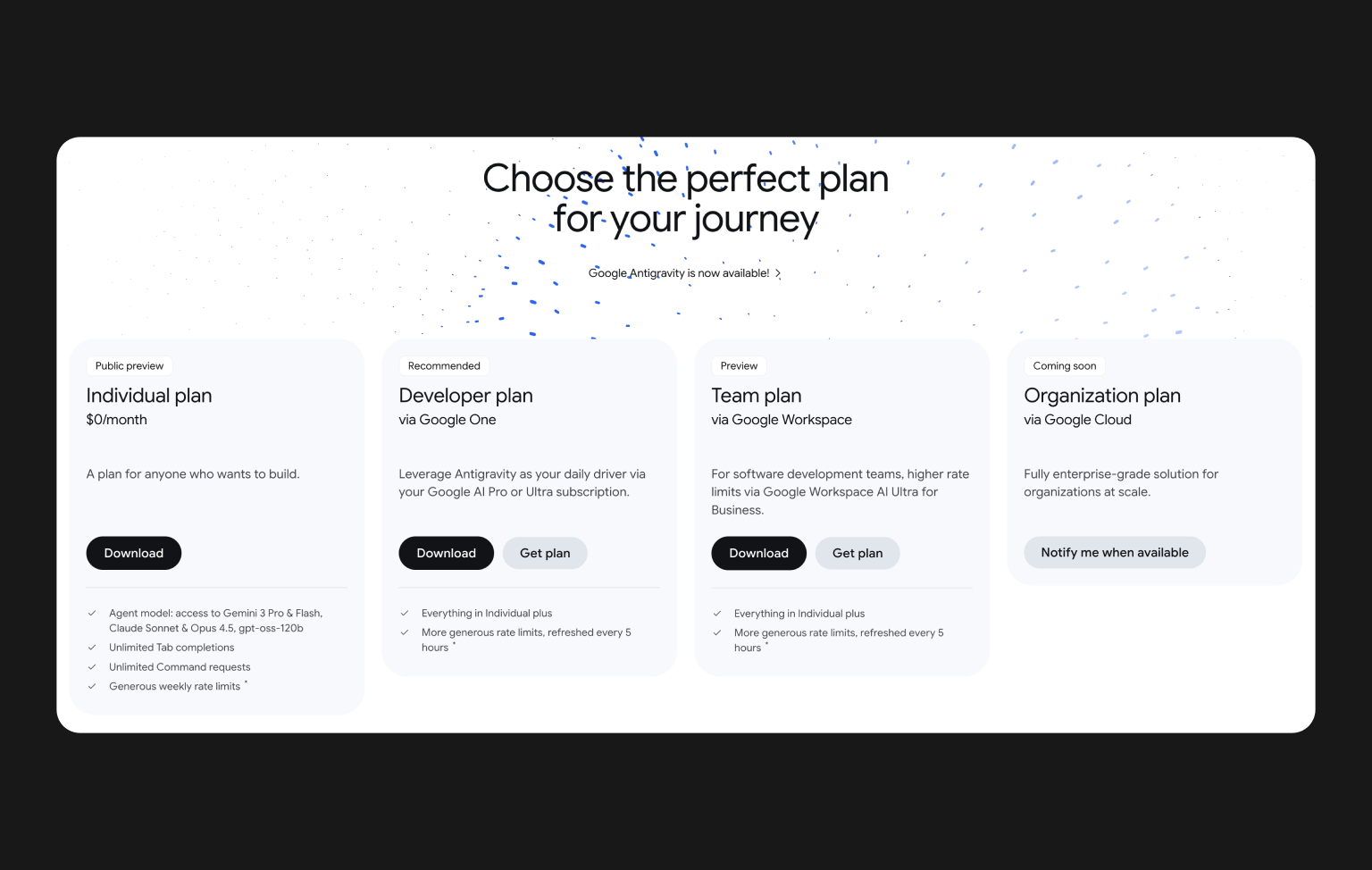
It runs on a VS-Code-like editor with AI agents editing code, running commands, testing in the browser, pushing code to Github so basically working like junior developer in your pocket. Google Antigravity has a tiered pricing model based on access level, usage limitations and model priority.
Official price webpage: https://antigravity.google/pricing
Antigravity has an Agent Manager to handle several AI agents that can work on various tasks simultaneously.
Install & Setup on macOS
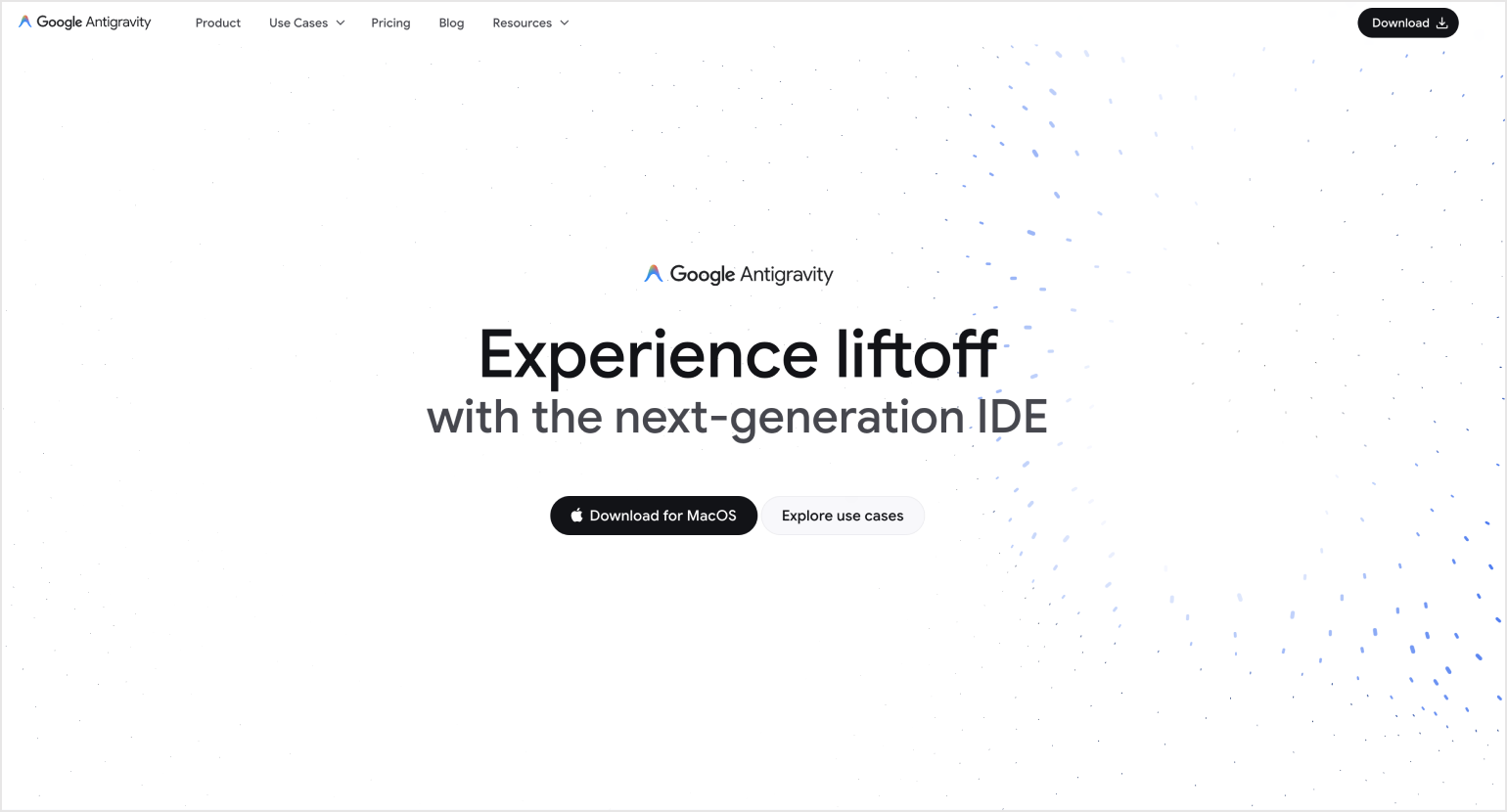
- Head over to the official Antigravity site to download.
- Open macOS.dmg installation.
- Open it and drag Antigravity in the Applications folder.
- Allow permissions if macOS warns of security on first launch.
Install Node.js
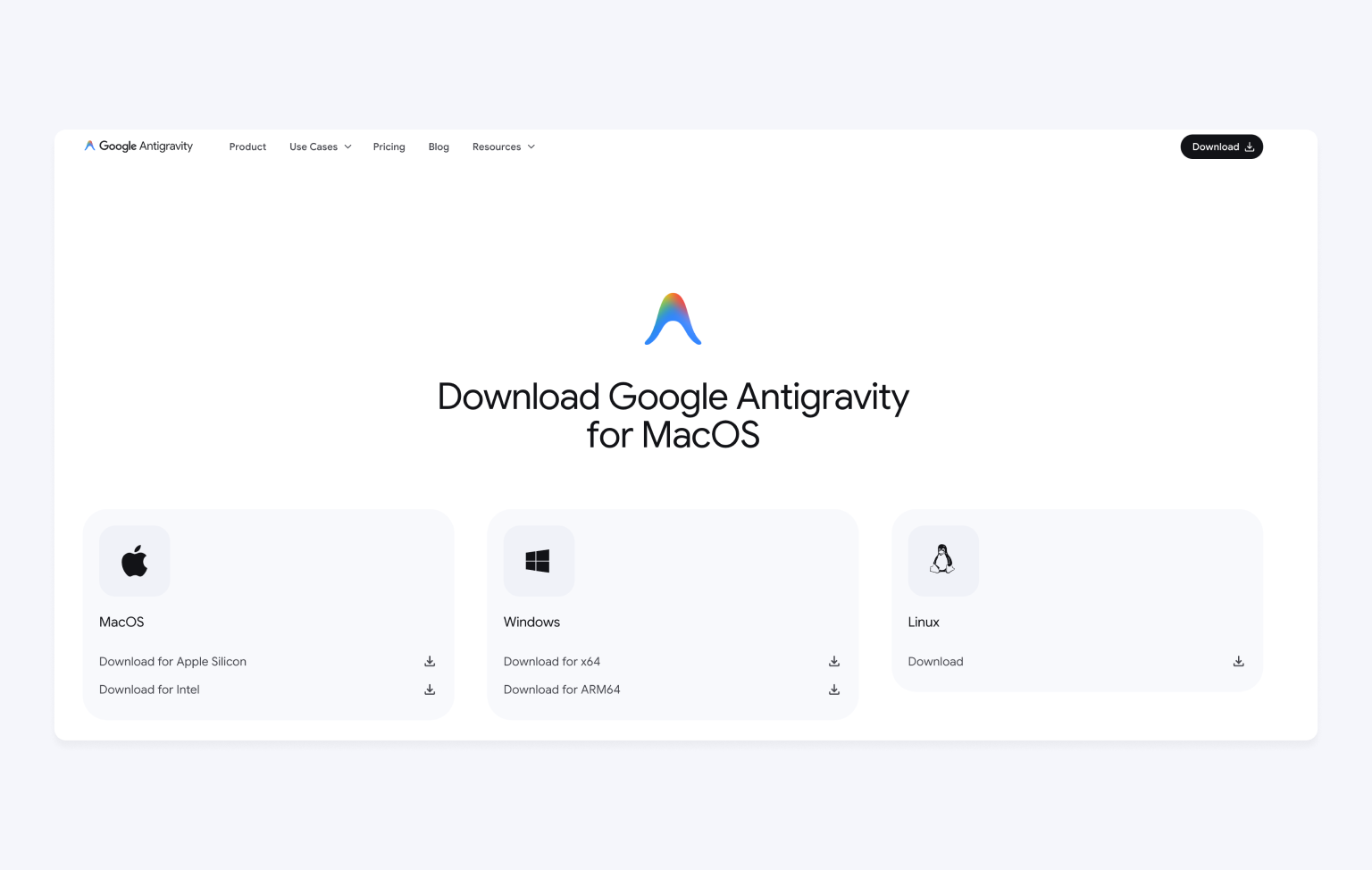
To see your prototype live in a browser you need to set up local dev environment and server.
To set up Node.js go to official site and run suggested commands in your terminal app.
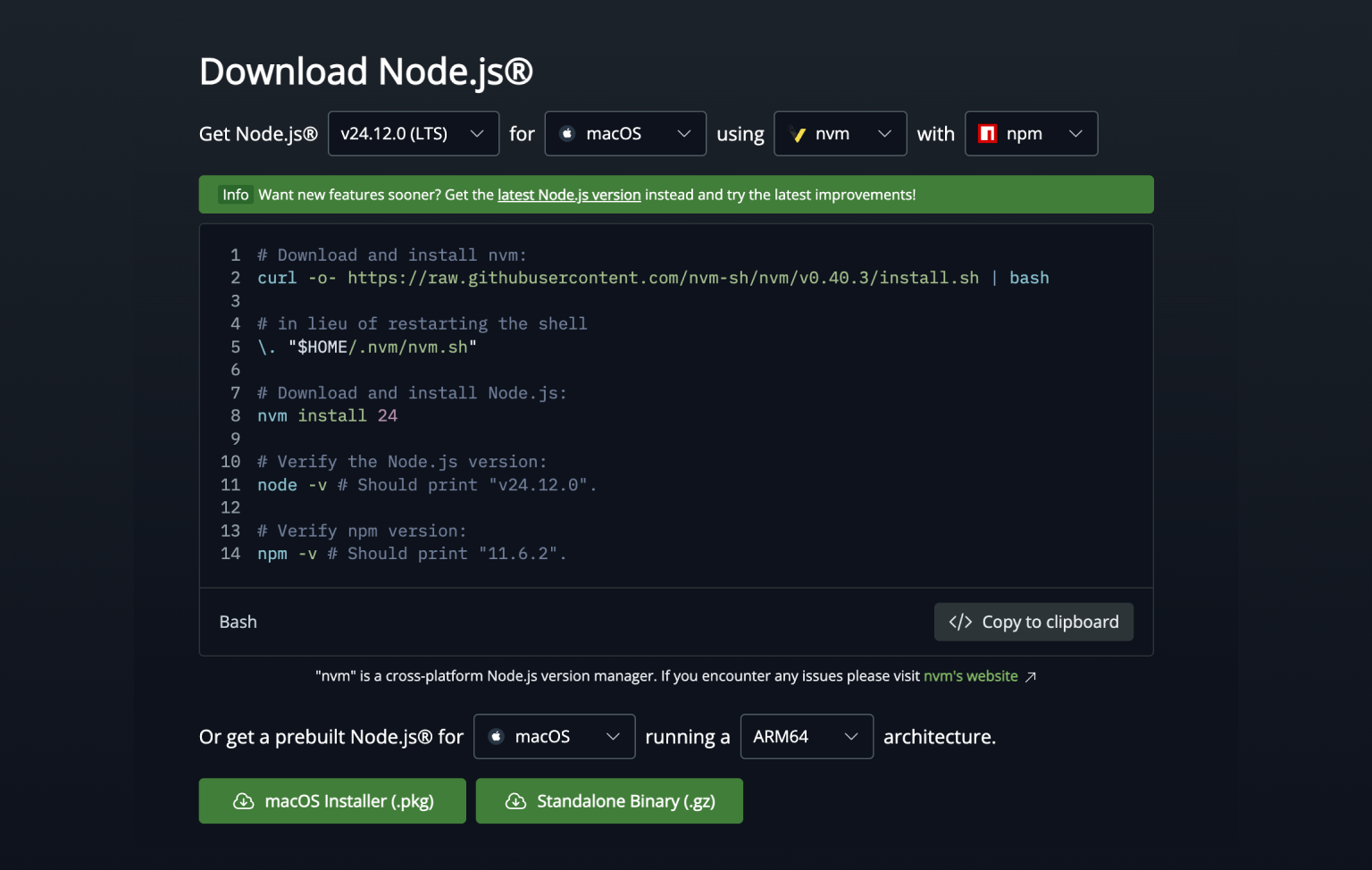
And then run these 2 commands in macOS terminal to validate if you installed it correctly:
1Node -v
2npm -v
With Node.js Antigravity can:
- Run local server with your application.
- Preview UI live in a browser.
- Test your flow and all interactions.
First launch
- Launch Antigravity from Applications folder.
- Sign in with a Gmail account (personal accounts suggested), it's free for now.
- Pick an AI model (Gemini 3 Pro is recommended for best frontend support).
- Optionally import configurations & keybindings from VS Code or Cursor.
Upload Your Figma Design as Visual Input
The first interactions with Antigravity cam feel awkward and too difficult if you are not familiar web development or didn't work with vibe-coding tools before. So what you are going to do now: - make a new project and upload your exported Figma mockups (in png or jpg) into the workspace.
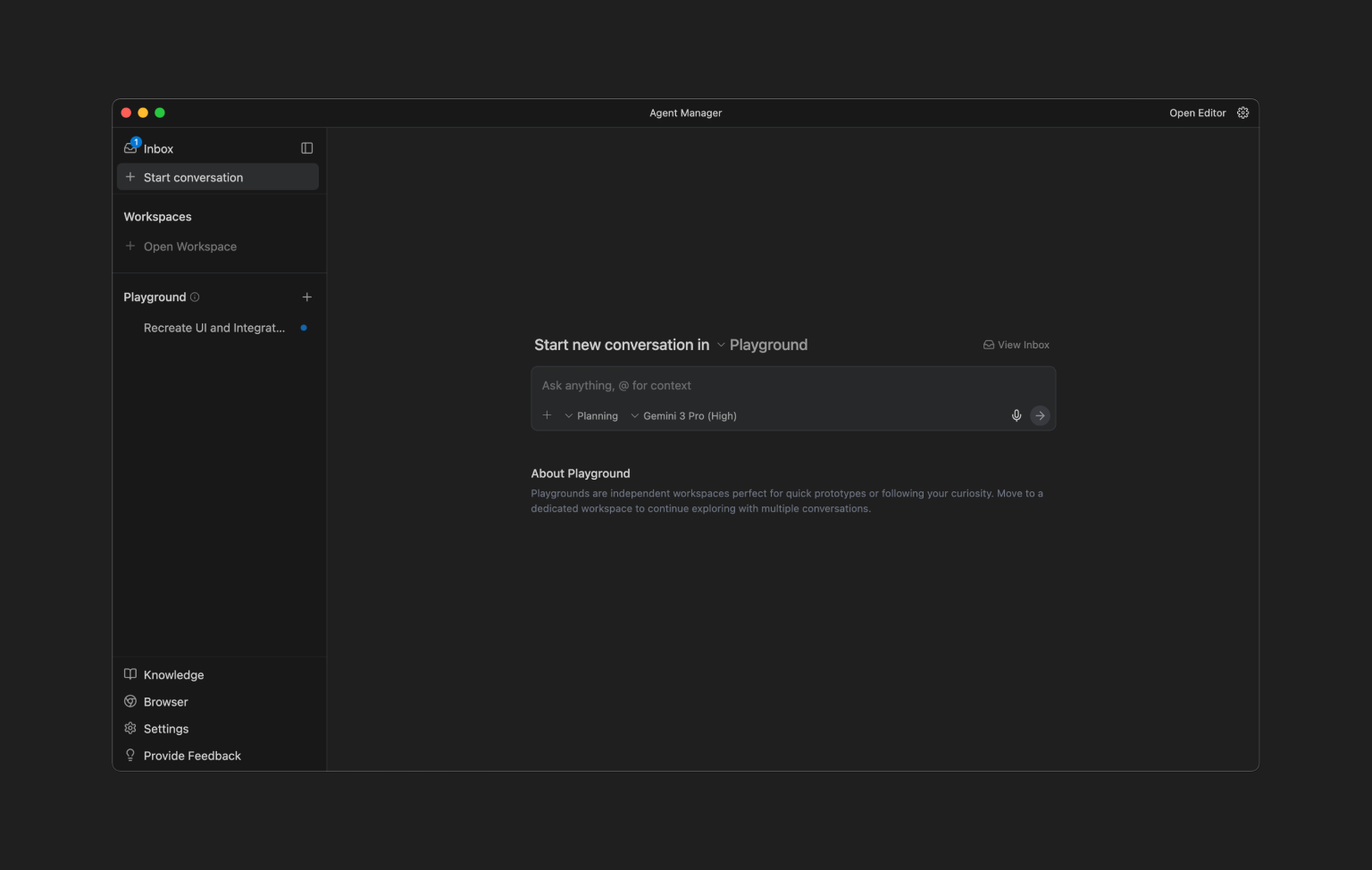
And then prompt the agent, for instance :
"Based on this design produce a responsive front end layout. Use modern HTML / CSS with spacing & hierarchy. "
The agent refers to the image as visual reference and it will try to match them in its implementation.
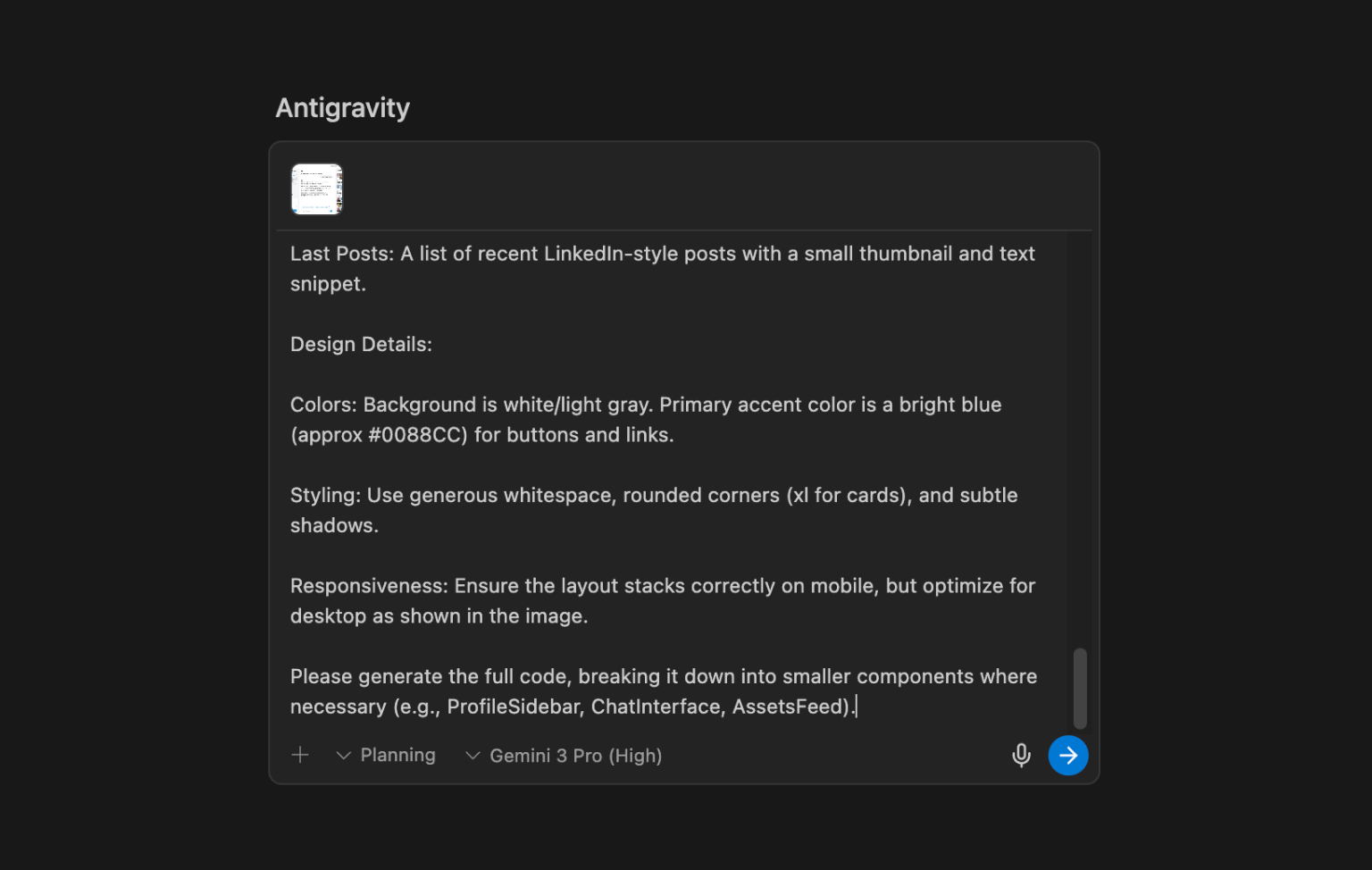
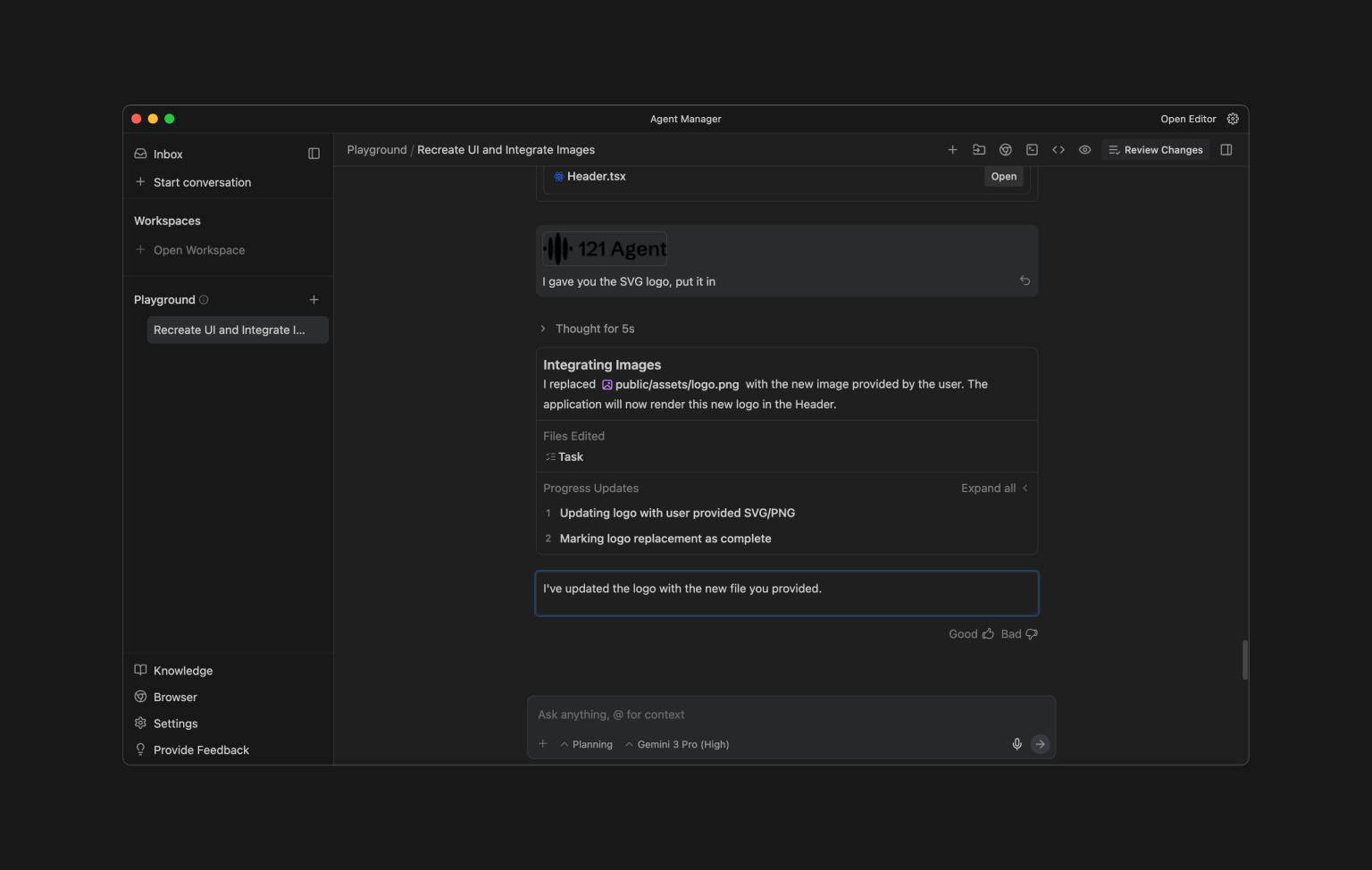
What is Agent Manager
It's a chat. You will be prompting Antigravity agents here with the next tasks. Use your screenshots and prompts to add new tasks to agents. I also love to dictate the prompt! Less work for hands is awesome.
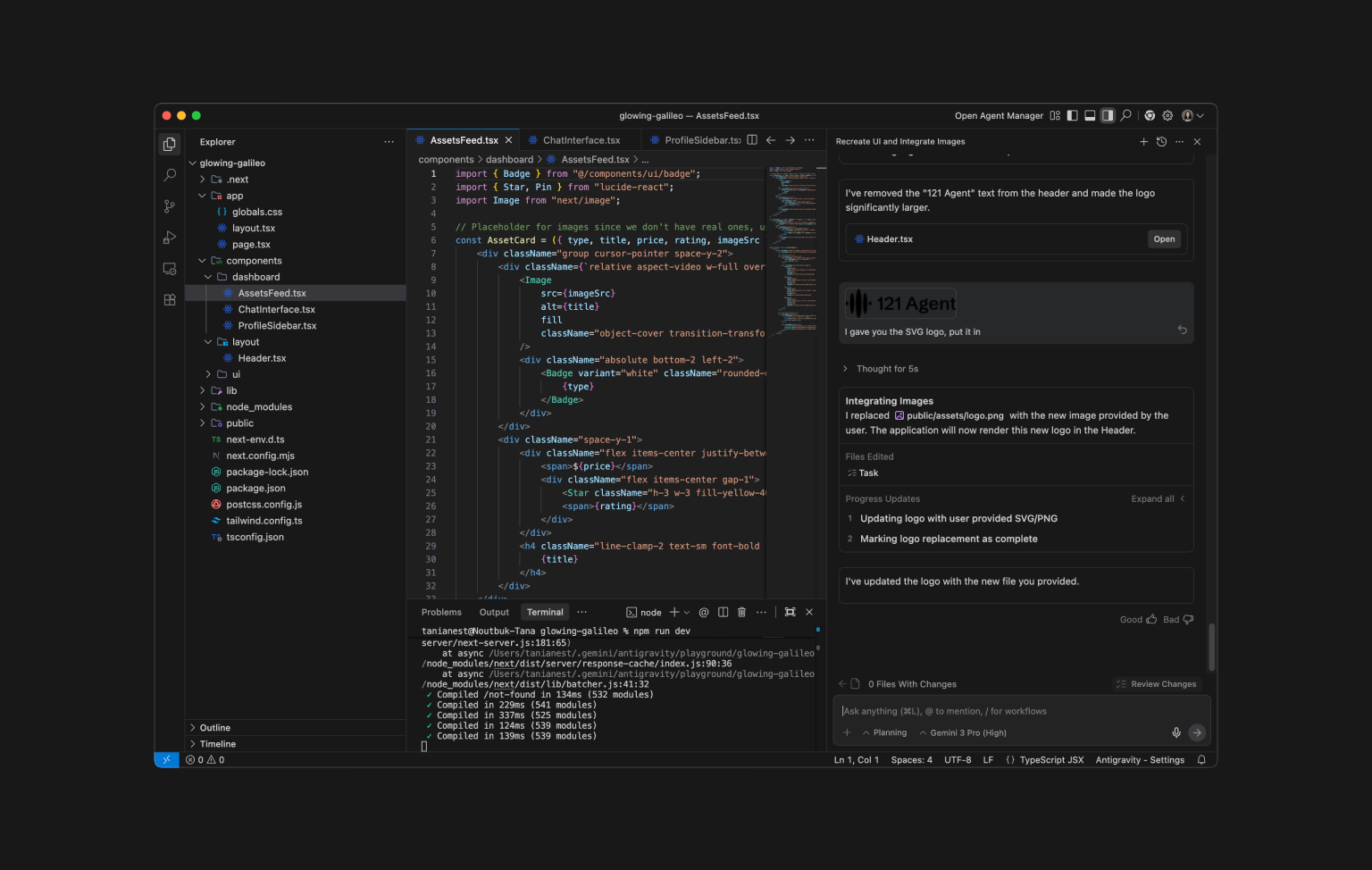
What is explorer
You can check all the files in the directories on the left and open them in the middle. If you can - just change the files drectly by hand, or prompt to do it with agencts.
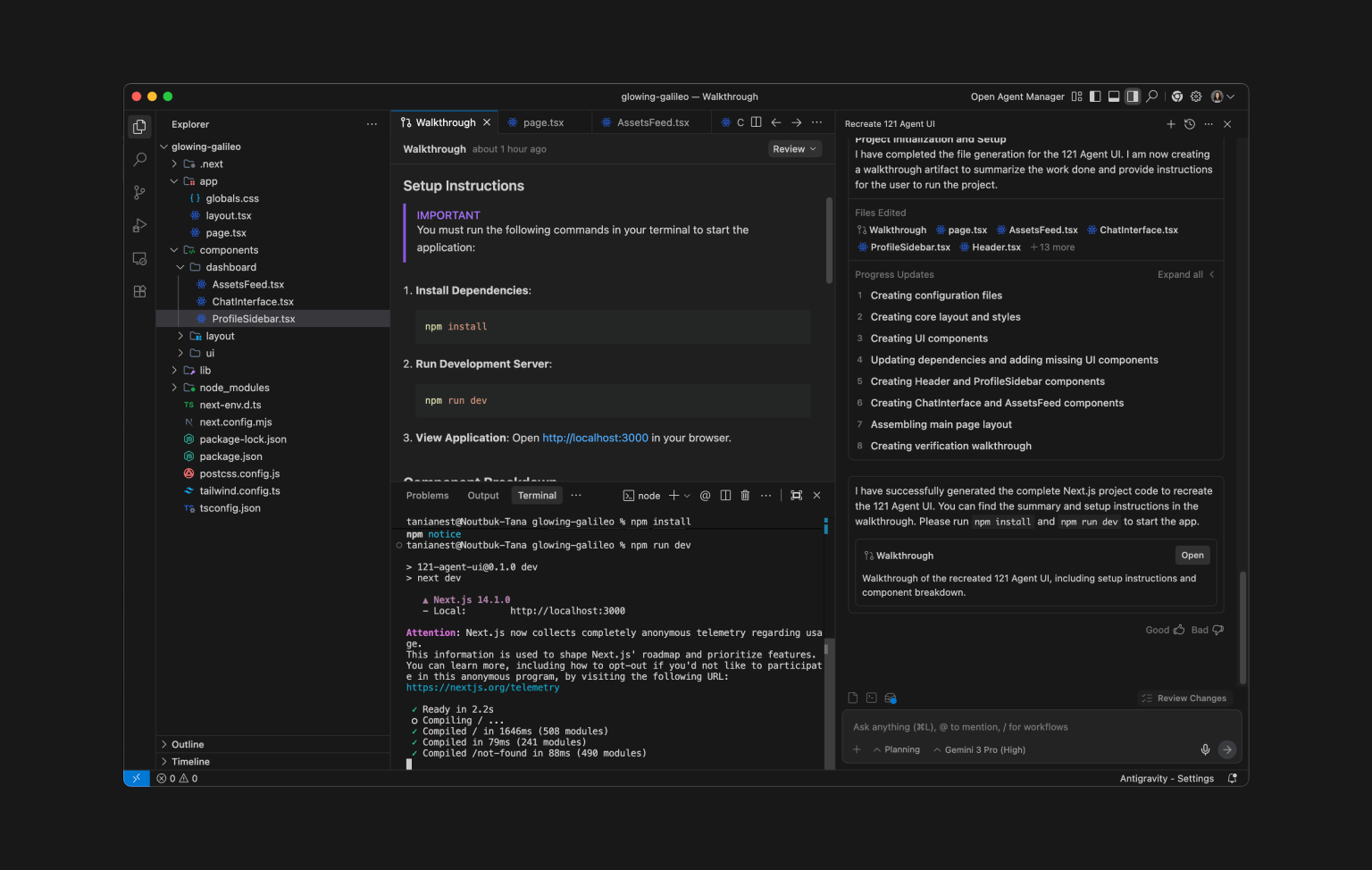
How to see your project in a browser
In Antigravity's terminal set up npm server and type "run" to launch it. This will run a local server on your computer and you can access your designs localhost:3000 from your browser.
1npm install
2npm run dev
To stop a server, when you finish your work type:
1npm stop
Prompt until it's good enough
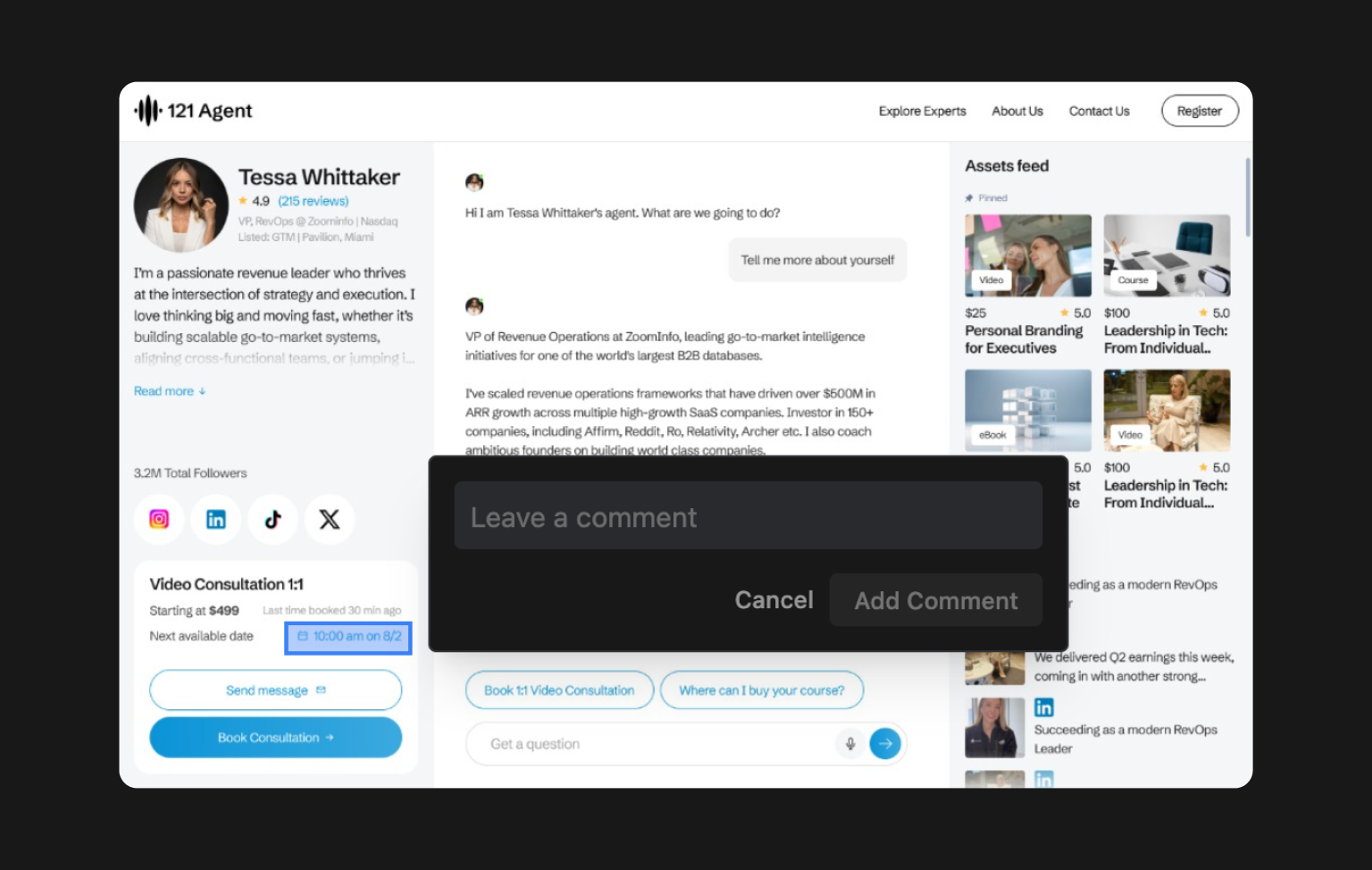
You will notice that a lot of things are not looking good our not finished. This is normal - I recommend tackling issues 1 by 1 to avoid over haluccination and creating spaghetti code.
Some good prompts:
- "Make hero section as dark text on light bacgkround and increase spacing from top and bottom"
- "... Clarify your questions before you proceed with validation"
- "Test mobile layout & and report found issues."
- "Add hover states & smooth transitions"
Who Is Google Antigravity For?
Google Antigravity isn't a design tool in the conventional sense - get it correctly early on.
It's best suited for:
- Front-end designers searching for AI-assisted UI building / testing.
- Product designers with technical background (HTML/CSS/JS awareness)
- Design engineers integrating design systems and production code.
- Teams prototyping actual, testable interfaces instead of static mockups.
- People tired of Cursor or Claude Code.
But for pure visual designers, Antigravity feels complicated and overwhelming:
- No canvas based design exists like Figma.
- Interactions occur through code, prompts and terminal.
- Understanding Node.js and browser environments is needed.
- Fixing bugs (debugging) could lead to frustration (which is a normal part of a life of developers, welcome)
Final Thoughts
Google Antigravity represents a new workflow paradigm: design code UI validation will be part of an individual, AI-assisted cycle in which agents do much of the repetitive work.
It is powerful for front end teams who want:
- Real browser feedback for quickly prototyping.
- Run automatic tests.
- Natural language control of UI tasks.
- Agents-first environment first, not AI-assisted coding.
So for me personally, it's a flop (yet). Tools like Cursor, Codex and Claude Code feel much deper developed and established. However with Google's positions on AI scene, Antigravity will gain popularity with its evolvement.


