


Cursor AI for Designers: A 2026 Guide to Building Apps Without Writing Code

TLDR Summary: Cursor is an AI-first code editor (built on top of VS Code) that feels less like “chat with AI” and more like pair-programming with it. It understands your entire codebase, edits real files, touches multiple components at once, and lets you stay inside the editor instead of jumping between tools. Designers should not be afraid of it, although its quite technical at first.
What is Cursor ?
Cursor is an AI-first code editor (built on top of VS Code) that feels less like "chat with AI" and more like pair-programming with it. It understands your entire codebase, edits real files, touches multiple components at once, and lets you stay inside the editor instead of jumping between tools.
But we, non- coders are afraid of it. You are wondering - "How can I use Cursor if am designer and no technical?" Let's dive it.
Why you need it
You need Cursor because it gives you freedom to build your own ideas, level up technically, and make real visual changes inside a product - without waiting for a UI developer.
So you can fix spacing, bring consistency to typography, clean up messy layouts, even create new flows.
All directly in code and you're in control of it. (which could be tricky at first, let's be real).
Setup
I am mac user, so everything described here is related for macOS. But it will be little or no difference for Windows users.
To make your terminal app functional, you need to have brew package installed. https://brew.sh/
Paste this into your terminal and hit enter:
/bin/bash -c "$(curl -fsSL https://raw.githubusercontent.com/Homebrew/install/HEAD/install.sh)"
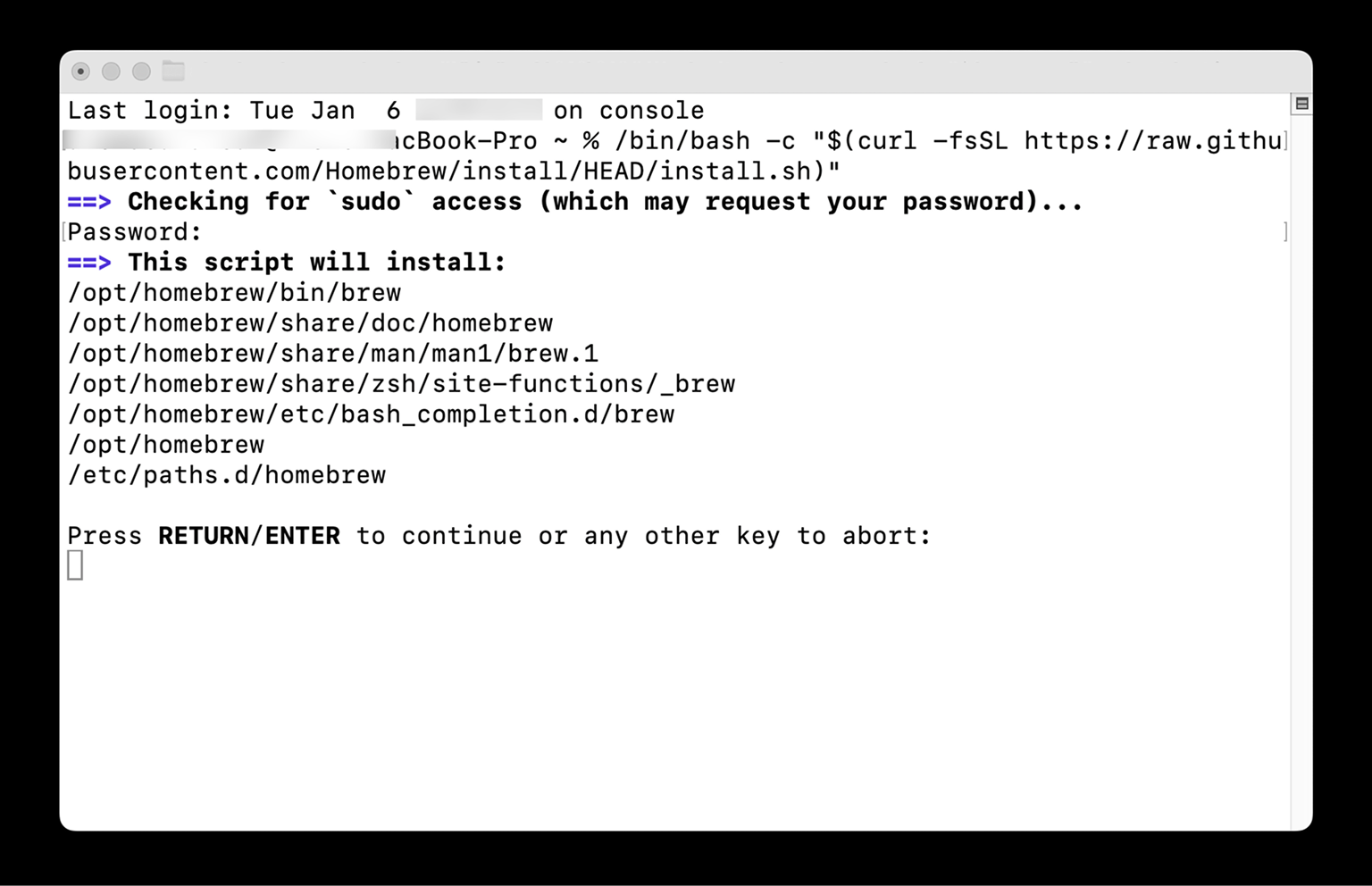
Once installed, you need to set up Node and npn on your mac. You need this basically to launch your own server locally.
Enter this to your terminal app:
brew install node
and then:
brew install npm
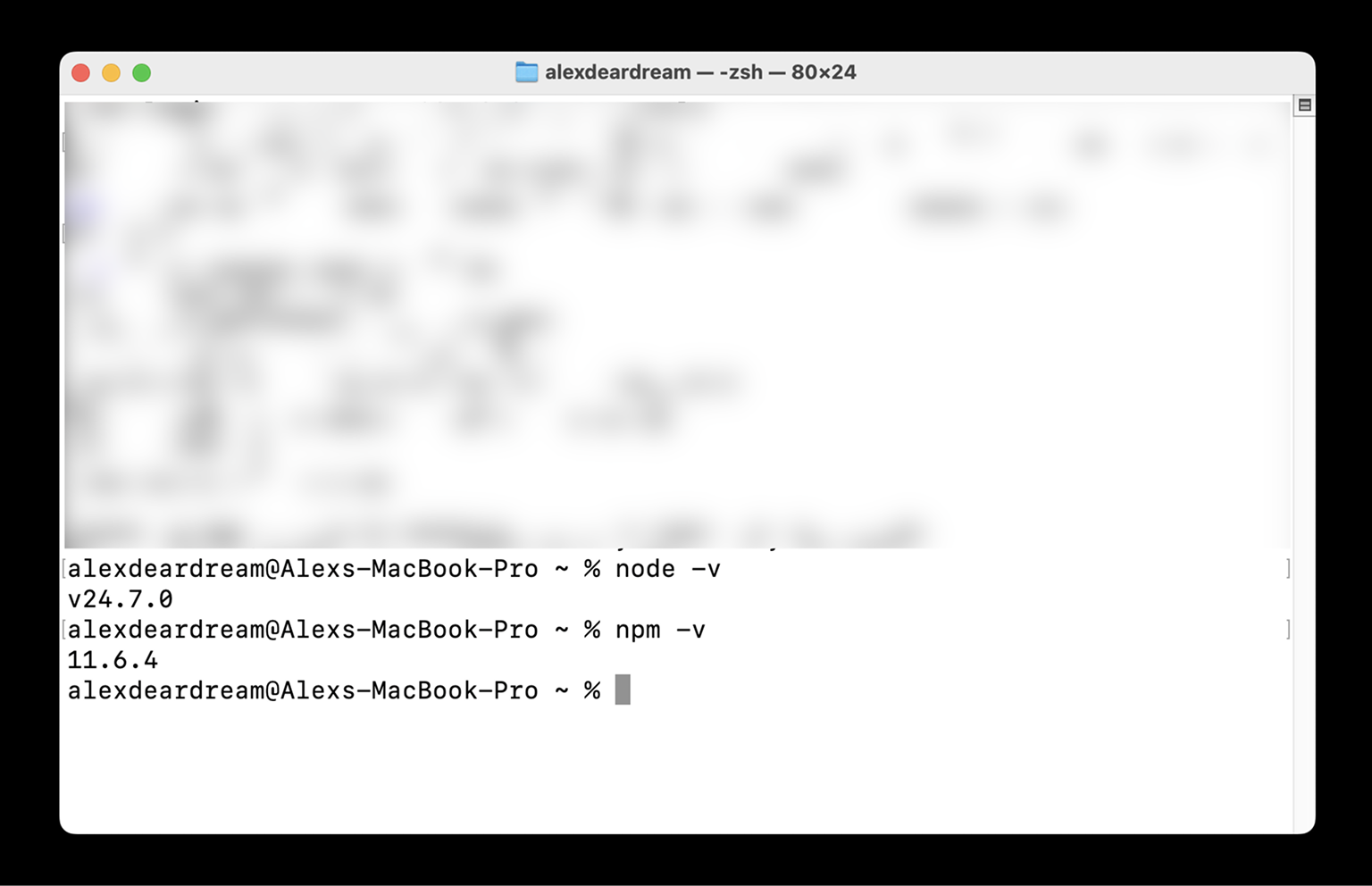
Once the installation is done, validate it's setup by checking the version installed.
npm -v
If you see something like this, you made it!
Last 2 things to do is to download Cursor and register Github account if you don't have one. Now you are ready for AI assisted coding.
If you want to start with your project from scratch, select "File" > "New Text File." If you want to work on an existing project, choose "Clone from GitHub," choose a branch, and clone the repository.
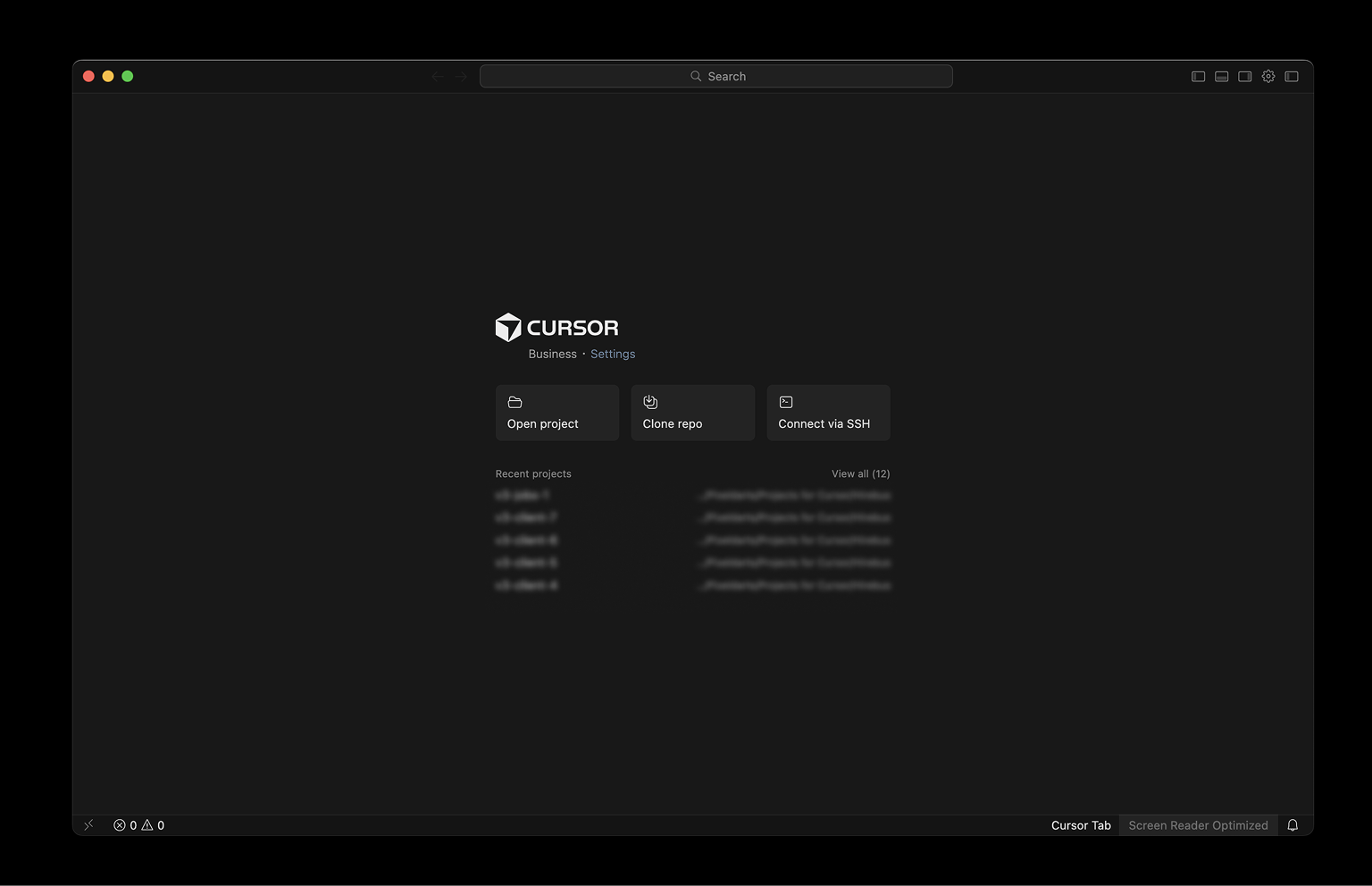
And the next thing would be to access the settings cog icon on top right corner and enable chat editors panel and side panel view. You can also turn agents panel if you have space on your screen. Using this layout, you would be able to perform your daily activities. Although it's a little bit informationally dense, I still like it because I can see all the things I need.
Select also a project folder or create a new one (left panel) to keep you future project files there.
Let's make sure you have all the required models ready. If you don't find the model you want to use, you can go to "Add Models" and enable the model you want from the full list of available AI thinking models.
I normally use GPT Codex Fast, so you should be using this for slow but smart thinking requests. You can also use Gemini Pro (in my current version it's Gemini 3 Pro) if you want to come up with new UI or new flows, because it's generating quite beautiful UIs.
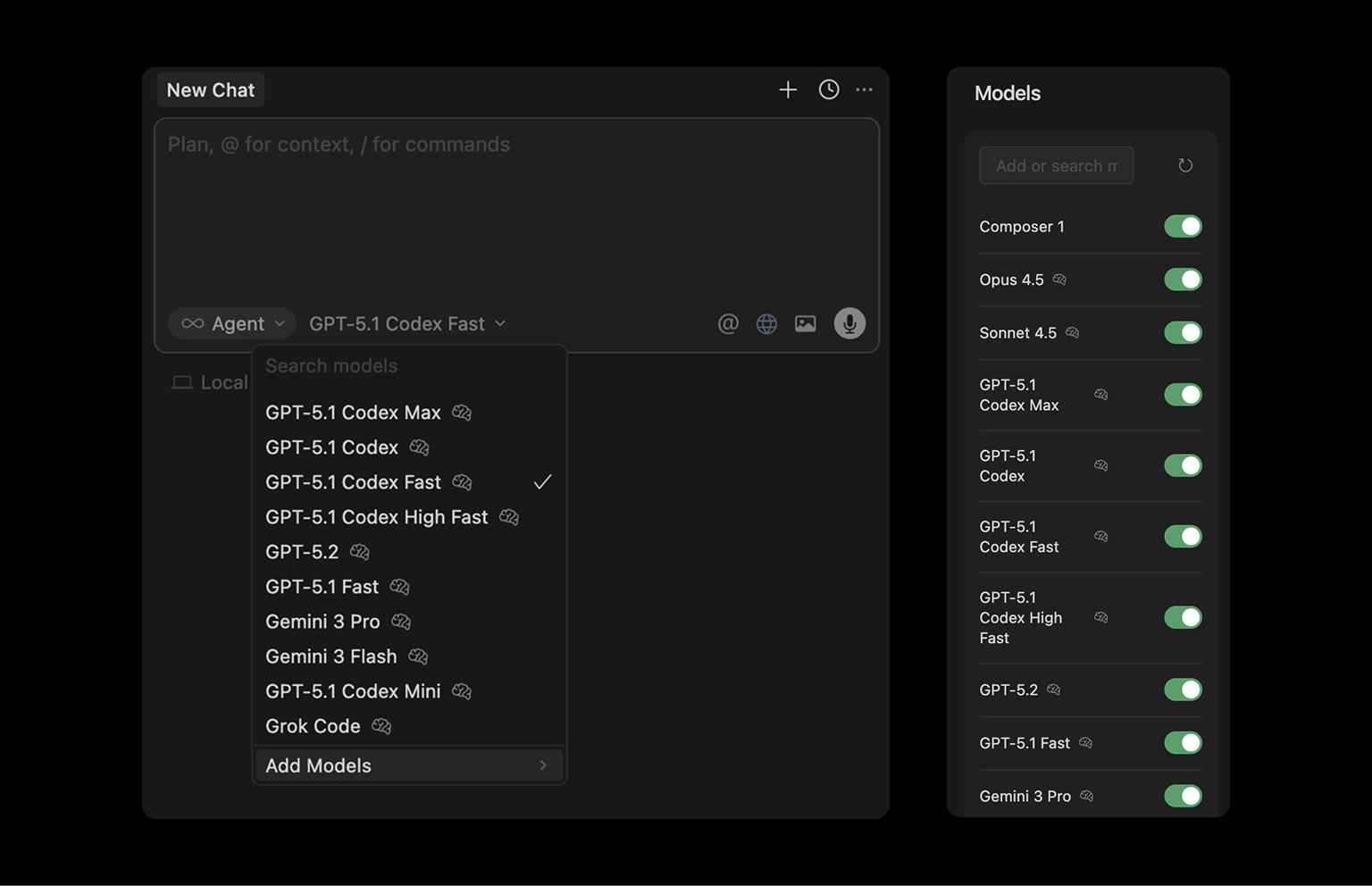
And now time to code! If you are starting with your own project, then just do an initial prompt. But also ask to clarify questions before it proceeds. If you cloned the GitHub project, you can go directly with prompting and request what you need to change. I'm going to start with my new project and let's see how it goes. I didn't atatch any mockups, so if you attach it will raise the design quality. So here is my prompt that I generated in another chat with Google Gemini (you can use ChatGPT or anything else, doesn’t matter):
Role: Act as an expert Senior Full-Stack Developer and UI/UX Designer specializing
in React, Tailwind CSS, and Lucide Icons.

Task: Create a modern, mobile-responsive web application inspired by Airbnbʹs
layout but with a custom "Cyber-Premium" aesthetic.

Design Requirements:

Color Palette: Use a "Deep Black" (#000000) for the primary background
and a "Vibrant Yellow" (#FFD700) for primary accents (buttons, active states, icons).

Text should be off-white (#F5F5F5) for readability.

Layout: > * Header: A sticky top navigation with a search bar and user profile icon.

Filter Bar: A horizontal scrolling list of categories
(e.g., Mansions, Cabins, Trending) with yellow icons.

Grid: A responsive card grid (1 column on mobile, 2 on tablet, 4+ on desktop).

Cards: Clean cards with rounded corners.
Images should have a subtle yellow border on hover.
Include title, rating (yellow star), and price.

Mobile Navigation: A sticky bottom navigation bar with icons
for "Explore," "Wishlists," and "Log In."

Technical Specs:

Use React (Vite) and Tailwind CSS.

Use Lucide-React for icons.

Ensure all components are fully responsive (mobile-first approach).

Generate clean, modular code with comments explaining the layout logic.

Initial Goal: Please write the code for the main App.jsx and the primary Navbar
and PropertyCard components to establish the visual foundation.
The process started and it seems to be done.
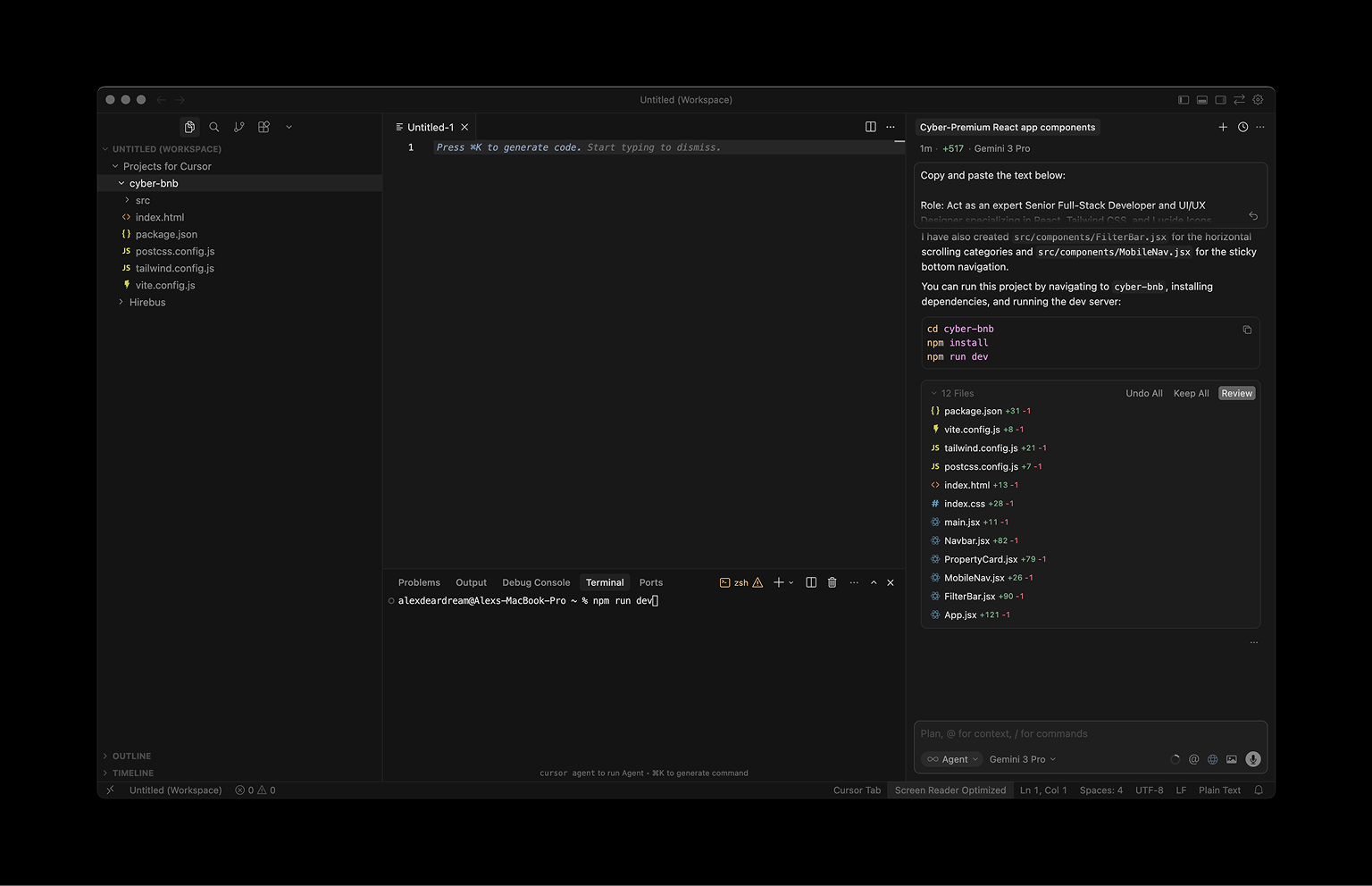
Now open Terminal at the bottom and run a command:
npm run dev
I see an error in a terminal, copied pasted this to a chat and asked AI to fix it. This is good becase we're learning how to debug and fix issues using AI. In my case I just didn't select the right folder in Terminal and my command to run a server didn't go trough.
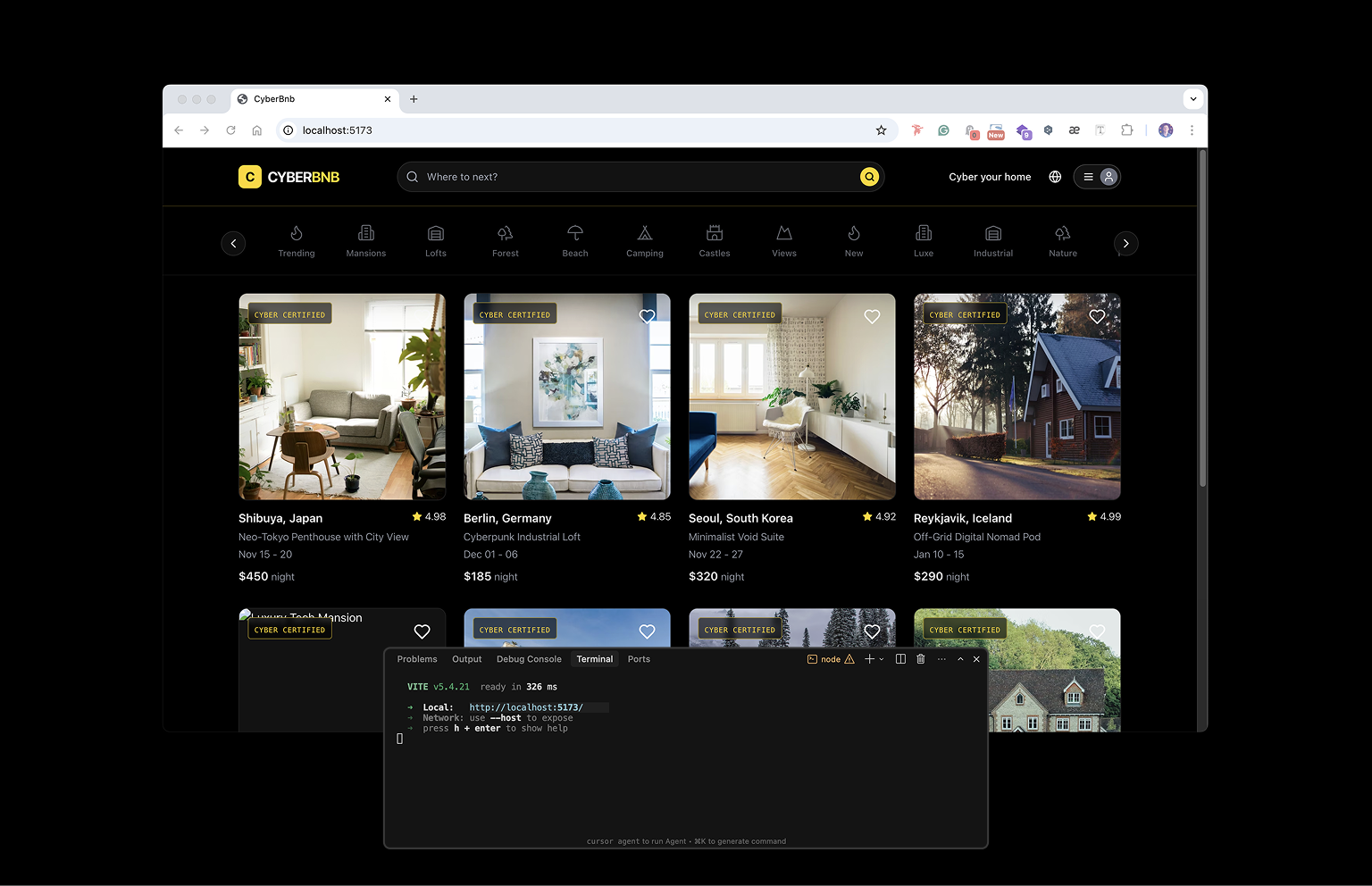
Now I run a command again. Success! Server started and I can access my app here http://localhost:5173/
Pro tips for cursor
And here I would like to give you a few pro tips that will save a lot of time for you
Pro tips:
Commit and do a pull request to save your changes.
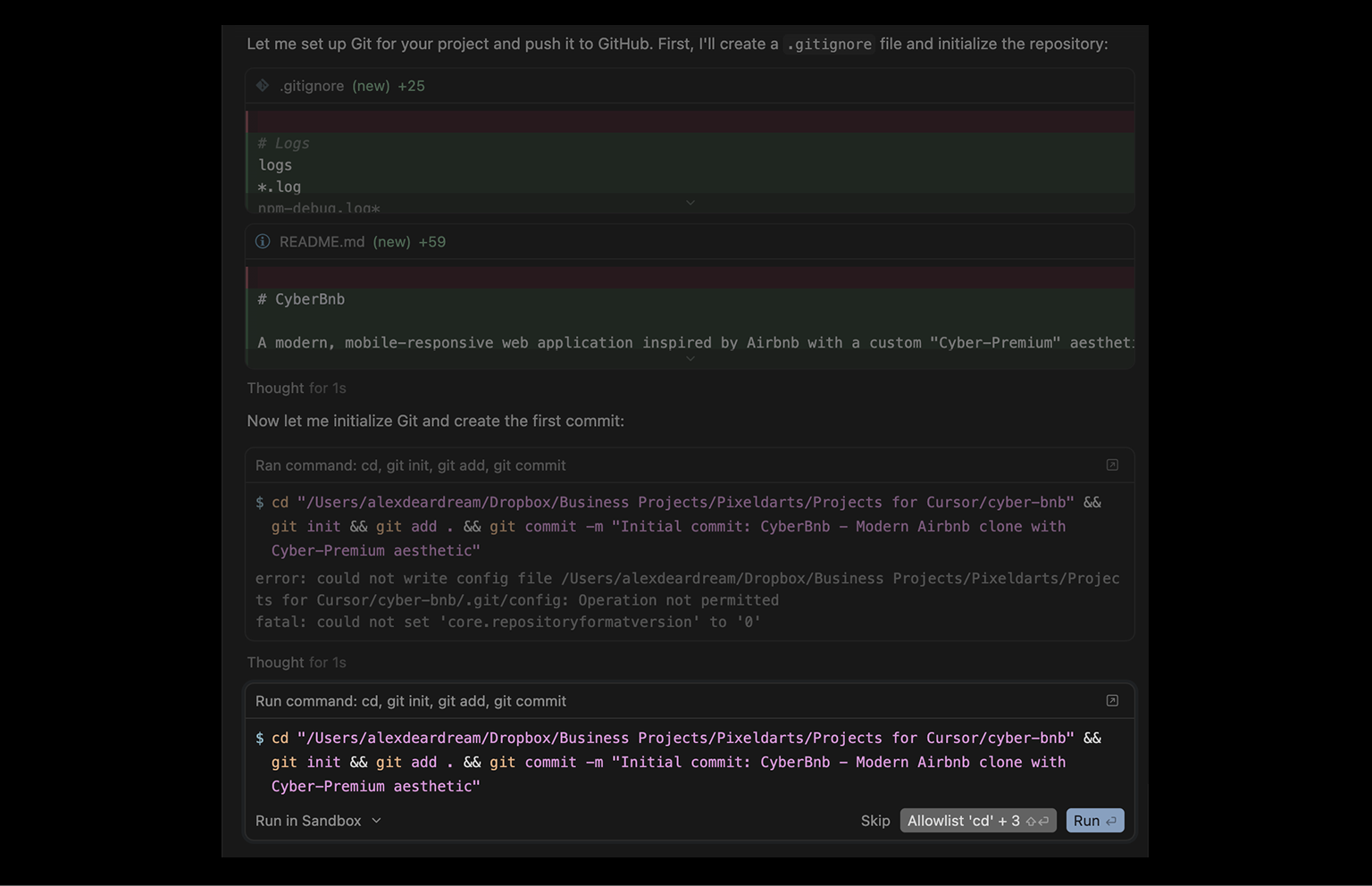
Don't be me. One time I lost the progress of two days of working because I thought I have all the history of the changes in a chat and I can easily revert back if I don't like something. Wrong! This is not working the way it is working in web coding tools like Lovable or v0. To save the changes, you need to connect your GitHub account and do a commit. And then, eventually, publish it using pull requests to store it on a GitHub.
In that case, other developers will be able to pick your project up and continue development, if you need it, of course . So, how to do it? Just ask AI to do it for you. The most important is that you have an account on GitHub already, and the rest Cursor will do for you. You only need to allow it.
Type:
I want to make PR to Github. Guide me trough this process.
Set guardrails and boundaries
If you are working on a project that needs to be constantly online, there are existing customers and you can't risk of breaking it you need guardrails. First of all, you clone the repository and run this to install dependent packages:
npm i
Then you do a prompt below. This will set up rules to only keep visual changes and not touch any logical functions or backend.
CURSOR SYSTEM PROMPT — VISUAL-ONLY CHANGES

You are allowed to make visual / cosmetic changes only.
❌ Never do the following without explicit human approval:
Change any logic, state, hooks, reducers, or control flow
Modify backend, API, database, auth, rules, prompts, or env
Touch .env, secrets, or credentials
Edit configs or runtime files (package.json, lockfiles, tsconfig*, vite.config.ts, vercel.json, eslint.config.js)
Change function signatures, data structures, or side effects
Rename components, props, or files in a breaking way

✅ You MAY:
Adjust JSX/TSX layout only (wrappers, structure, ordering)
Change styling only (Tailwind, CSS, spacing, colors, typography, responsiveness)
Improve visual hierarchy, alignment, and UI clarity
Refactor markup without changing behavior or data flow

🚨 If a request requires logic, backend, or database changes:
STOP
Explain what would need to change and ask for explicit approval
Offer a visual-only placeholder alternative if possible

Final rule
If it’s not purely visual, do not implement it.
Switch to a new chat when AI agents hallucinates
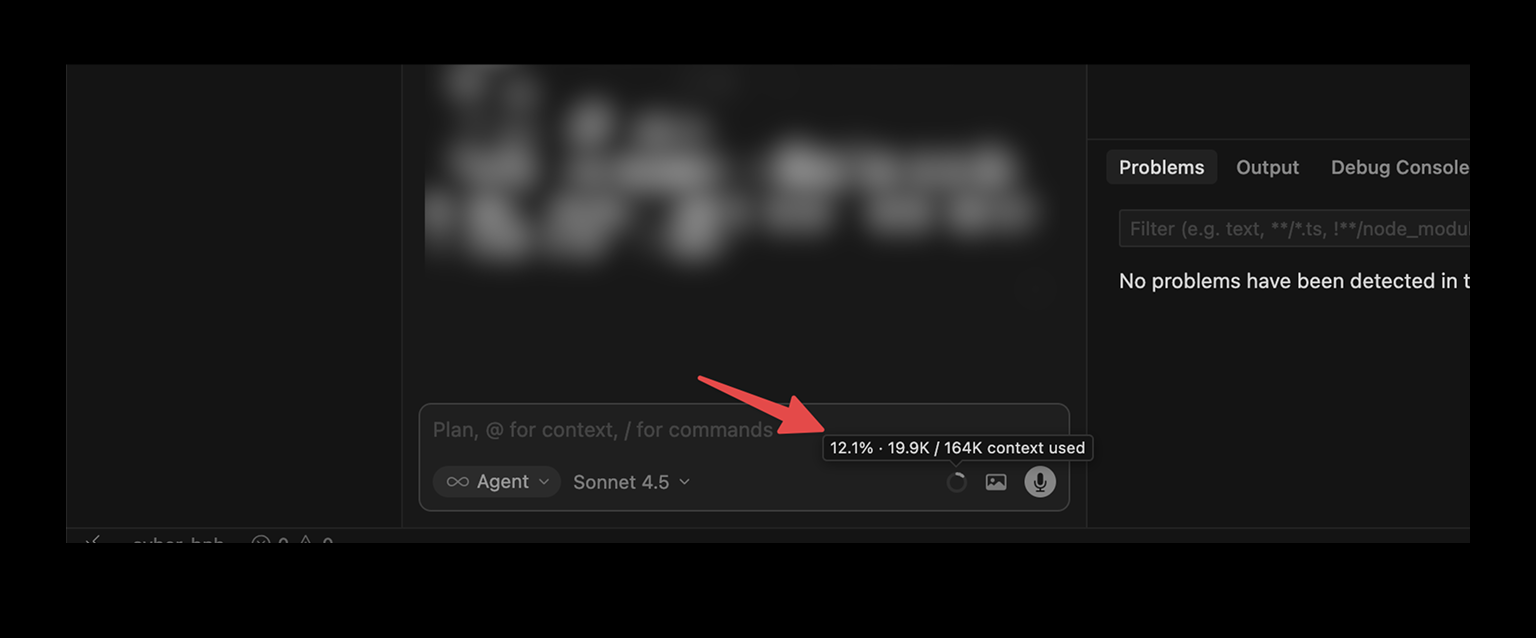
Switch to a new chat when AI agents hallucinates Hallucinations is a big problem for vibe coding, but you can avoid using it. As soon as you notice that you are on 35-40% of your context window, you need to switch to a new chat.
So do a commit to save your progress and open a new chat. A new fresh chat will guarantee that AI doesn't hallucinate too much. In the previous chat, AI was hitting its context window limits, losing its accuracy, adding more bugs, or simply not understanding you.
Debug and review - do it before making a push and handover to devs
Code review
Cursor with its agents can successfully review and bug-fix own code. To do that, just open a new agent and ask to review the code. After that, ask him to write a plan to fix the problems, and when the plan is confirmed, ask to execute a plan. Your code is optimized now, some issues fixed, and you're ready to publish it. Ask an agent to make a GitHub PR.
How to fix bugs in Cursor
There are a few approaches that will help you to fix the bugs. I can imagine that you already explained the issue, and it didn't help.
- If you have some errors in the browser, you can also open Google Chrome DevTools and copy the errors from the console or even drop a screenshot to cursor and ask to analyze it. This will probably help.
- If that didn't help, make sure that your agent is fresh and doesn't hit the context window of 30% yet. If it's higher than 30% than open a new chat and start bug fixing there.
- Switch to another model from. I had the best luck with these LLM models for bug fixing: GPT Codex, Gemini Pro. Again - give an error and ask agent fix it. Different agents work differently, and some of them are doing better bug fixes than another ones.
In conclusion
These tools like Cursor, Claude Code are giving so much power for non-technical people like me, probably you and the majority of the population. As soon as you start doing this, you will be so excited and feel so much in control that I am actually envying you. If you need any support with building apps or design, just reach out to alex@pixeldarts.com. I will be happy to help if I can.


