


How to transfer from ChatGPT to Claude
TLDR Summary: Export your memory and custom instructions from ChatGPT, import them into Claude via Settings > Capabilities > Memory, edit what's wrong, and expect a week of slower sessions while your habits recalibrate. The prompts don't need to move. The context does.
Most people who try Claude do it wrong. They open a blank chat, type the same prompt they used in ChatGPT, get a different response, and conclude the tool isn't for them. The problem isn't Claude. It's that they brought the prompts but not the context.
Here's how to actually migrate.
Step 1. Understand what you're actually moving
Your prompts are not the asset. The asset is everything ChatGPT has learned about you: how you like to be addressed, what level of detail you want, what format your outputs should take, what you're working on. That's stored in your memory settings and custom instructions, not in the one-liners you've saved in a Notion doc.
Those settings are what you're transferring. Start there.
Step 2. Export your memory from ChatGPT
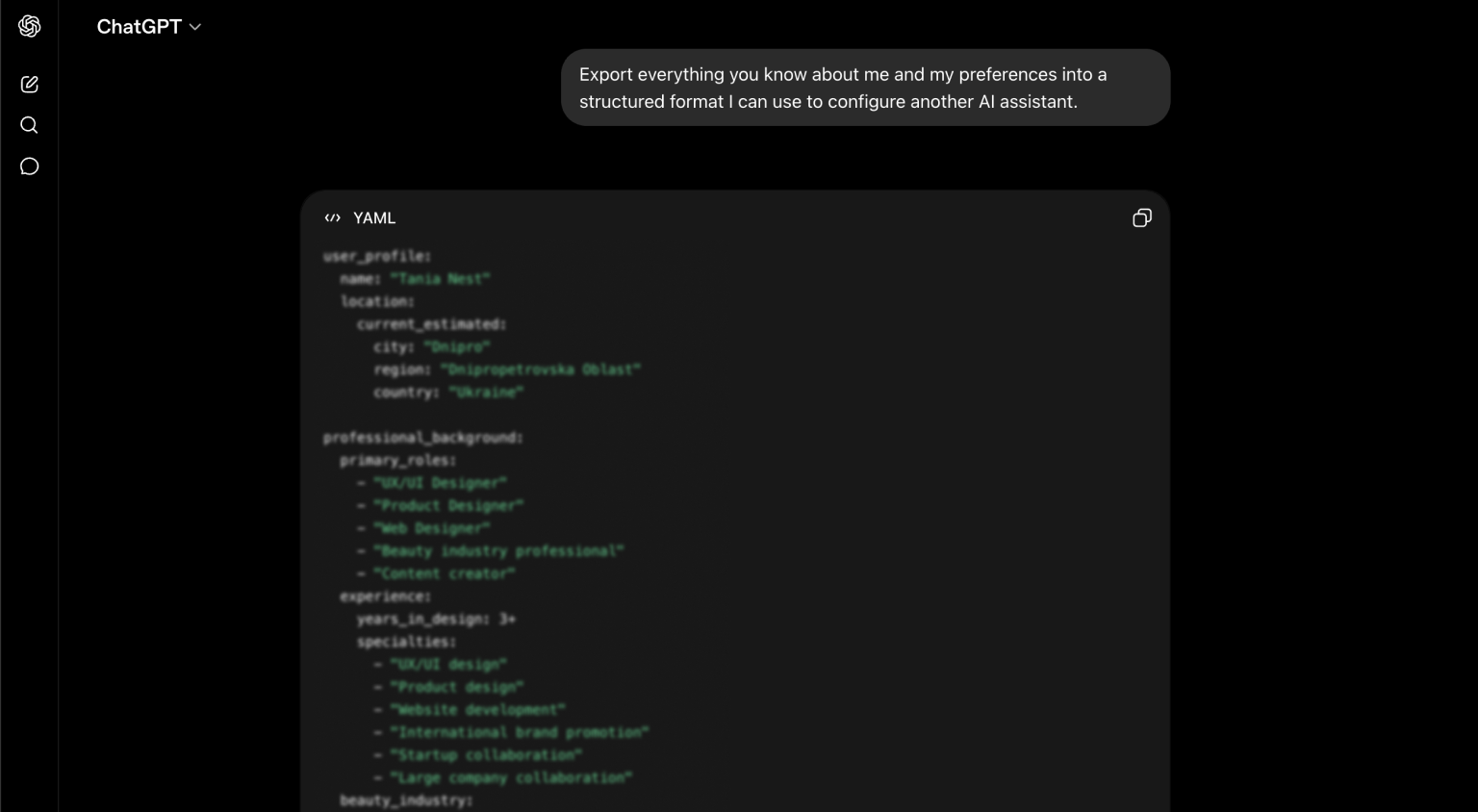
Open ChatGPT and ask it directly: "Export everything you know about me and my preferences into a structured format I can use to configure another AI assistant."
It will return a code block with a summary of your profile: tone preferences, working style, recurring context, output formats. Copy the whole thing.
Step 3. Import into Claude
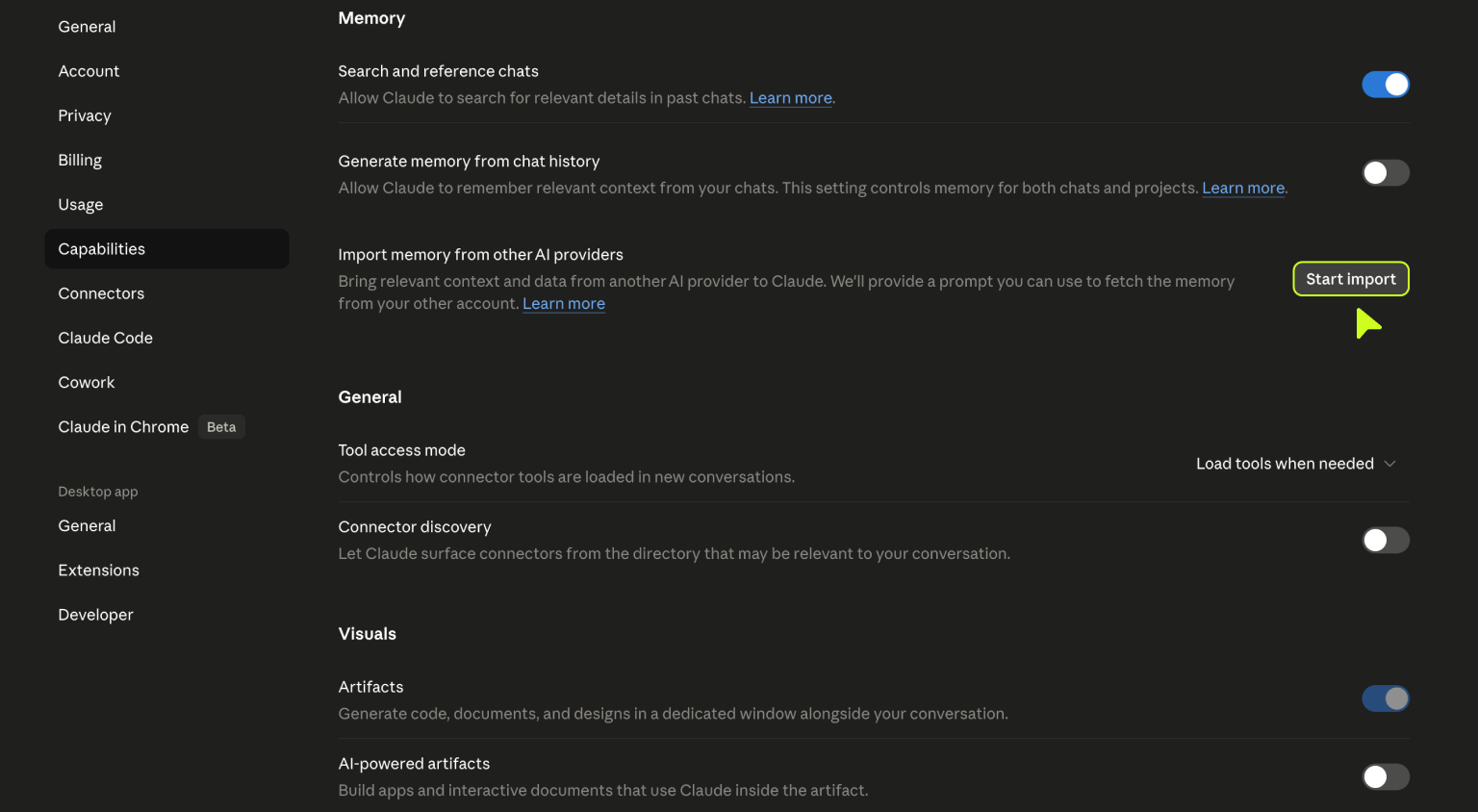
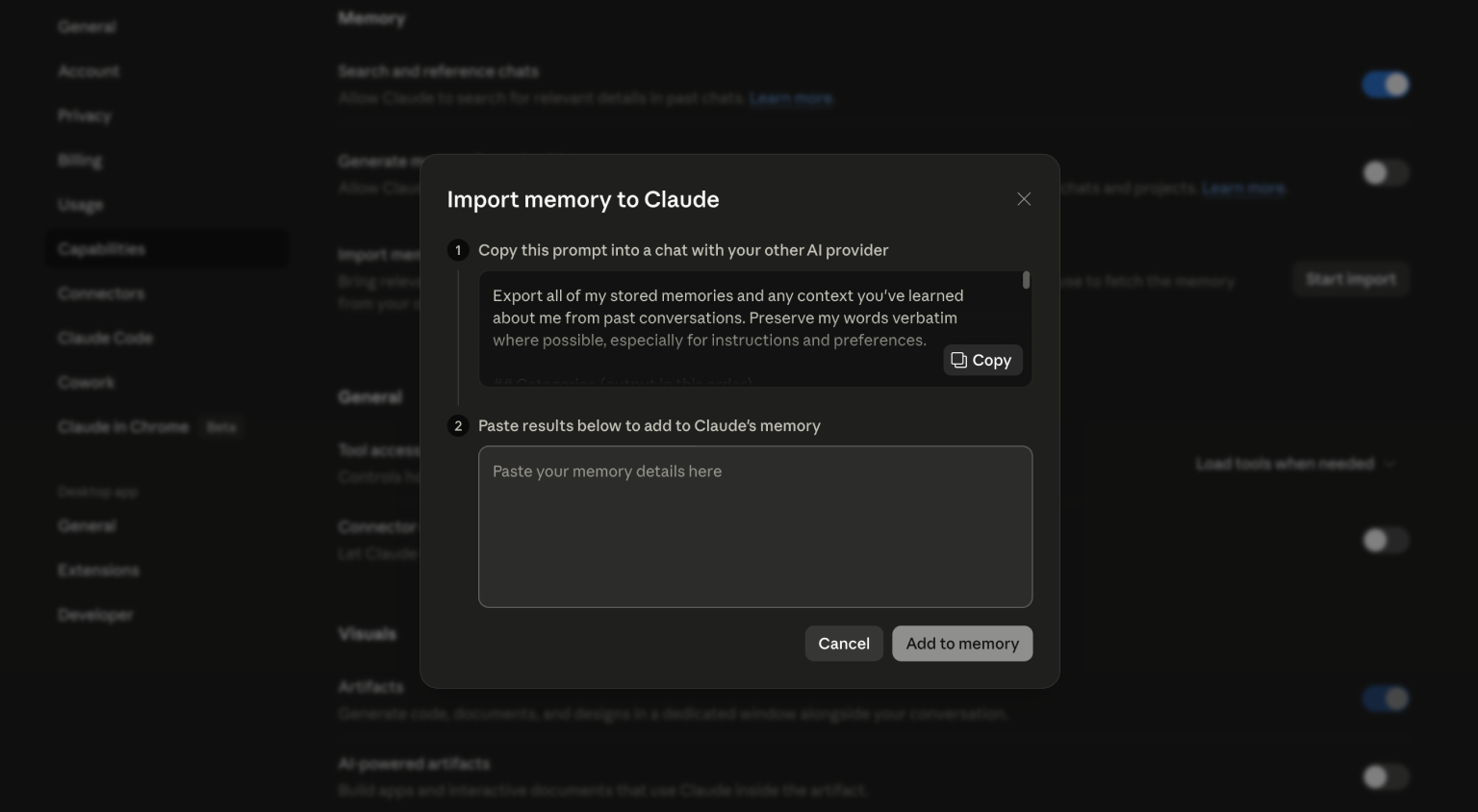
In Claude, go to Settings, then Capabilities, then Memory. There's an option to import from ChatGPT. Paste what you copied into the import interface.
Before you confirm, read through it. ChatGPT's self-summary of you is usually 80% accurate and 20% odd. Delete anything that's wrong, outdated, or doesn't sound like you. The import is a starting point, not a finished configuration.
Step 4. Adjust your custom instructions
Memory import gets you most of the way there, but Claude has its own custom instructions field separate from memory. Copy your ChatGPT system prompt or custom instructions and adapt them for Claude. Some things translate directly. Some need rewording because Claude interprets instructions differently.
A few days of use will show you what's off. Treat the first week as a tuning period, not a final state.
Step 5. Keep your ChatGPT history as a backup
Don't delete anything yet. Export your full ChatGPT conversation history and keep it accessible for a few weeks. Not because you'll go back, but because having it available removes the pressure to get everything right immediately. Once you've rebuilt your workflow in Claude and stopped reaching back, the archive stops being useful.
What's actually different between the two
This is where most migration guides stop being honest. Claude is not just ChatGPT with a different name. The differences are real and they affect how you work.
Context window. ChatGPT handles up to 128,000 tokens per conversation. Claude handles 200,000. In practice this matters when you're working with large files, long transcripts, detailed briefs, or any project where you need to reference a lot of material without starting over. Claude holds the thread longer.
Reasoning style. Claude tends to think through problems more methodically and shows its work more openly. ChatGPT is often faster to a confident answer. Neither is better by default, but if you're doing analytical or editorial work, Claude's reasoning style tends to produce outputs that are easier to push back on and refine.
File handling. Claude supports a wider range of file types for upload and has stronger OCR capabilities. If your workflow involves analyzing documents, PDFs, or design files, this is noticeable.
Artifacts. Claude has a built-in Artifacts panel that creates a contained workspace for outputs like prototypes, code snippets, or structured documents. Instead of hunting through a chat for the version you want, it lives in a persistent side panel.
Habits. This one is harder to quantify. You've spent months learning ChatGPT's patterns: which phrases get better results, when to push versus restart, how to recover a conversation that went sideways. Those habits don't transfer. Claude responds differently to the same inputs, and the first few sessions will feel slower because of it. That's normal and temporary. The recalibration takes days, not weeks.
Final Thoughts
The actual migration is one afternoon of setup. The adjustment period is about a week of slightly slower sessions. After that, you're running on the new system and the old one just feels like extra tabs.
If you're using AI as part of a design or product workflow, the context depth and file handling in Claude make a real difference in practice. See how we use it across client projects.


